 |
| Watch the video tutorial. |
Wednesday, November 11, 2009
 How to add favicon to blogger blog?
 |

How to properly write code in blogger blog post? (Part 2/2)
Writing code in post part 2/2.
In first part we told you how to write html/javascript code in blogger blog post. In this part we will show you how to properly write the code in post i.e. how to make your code standout the regular text. After you have placed your code in the post, highlight it so that users can easily spot it. Often while reading others post I have face this peculiar problem. The authors do not highlight their code. This is specially problematic when they are referring to a single line of code. You can apply a lot of styles make it bold, increase or decrease font, change the font altogether... Pretty old stuff...isn't it. This is how we like it.
Consider this (Style 1)
//your code here
Or this (Style 2)
//your code here
Or even this... (Style 3)
Title here
//your code here
Neat code presented elegantly. Read on to know how to apply these styles.
|
Control opacity of blogger-navbar
 Recently Blogger released new transparent navbar styles. It is a nice move on blogger's part to encourage its users put back the navbar again. Users used to hide the blogger navbar as it did not match their template. The transparent navbars mix with the template colors and hence give a better look.
There is one thing though that I still think is missing. The level of transparency can not be controlled. Here is a work around to achieve this.
|
Tuesday, November 10, 2009
How to write html/javascript code in blogger blog post?
If you have ever tried writing HTML/Javascript code in your blogger blog post then you might have found that it does not appear as code in the post. Instead the code is interpreted and displayed.The above problem can be simply fixed by replacing < with < and > by < . Here we are providing a few elegant ways to do this.
|
Sunday, November 1, 2009
New Transparent Navbar Styles From Blogger
Blogger has introduced two new navbar styles - Transparent Dark and Transparent Light. Previously only a few styles were available - Blue, Black, Tan, and Silver. These styles couldn't readily mix with many of the blog designs. So blogger introduced the transparent styles.
Here is what the have to say about it
Here is what the have to say about it
|
Friday, October 9, 2009
Remove the blogger navigation bar.
At the top of your page you may see a bar this is called 'Blogger Navbar'.
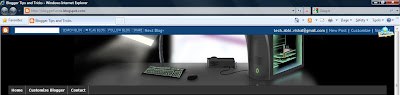
If you don't like you can remove it just by adding a few lines of CSS (Cascading Style Sheet) code.
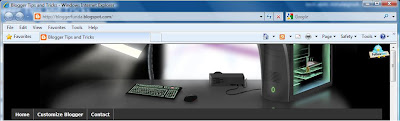
If you don't like you can remove it just by adding a few lines of CSS (Cascading Style Sheet) code.
|


Subscribe to:
Posts (Atom)


